Help / Your account
Light and dark mode
Coparia has a light look and a dark one. Out of the box it follows your device, so if your phone or computer switches to dark in the evening, Coparia does too.
Choose for yourself
On the web:
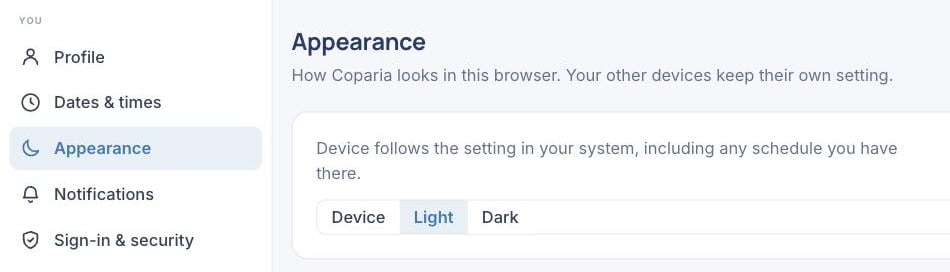
- Open Settings, then Appearance.
- Choose Device, Light or Dark.
On a phone:
- Open You, then Appearance & accessibility.
- Choose Phone, Light or Dark.
The choice takes effect at once.
It is a setting of the device, not the account
Appearance is kept on the device you set it on, not on your account, because the same person reads Coparia at a bright desk by day and on a dim sofa at night. Each browser and each phone keeps its own choice, and signing out does not change it.
What changes in dark mode
Everything, including the calendar. The two home colors lift so they still read against the dark ground, and today is still marked the same way. Nothing about who has the children changes; only how it is drawn.
Open this in Coparia, where you can search every article and ask about your own calendar.